Anijam: AI Video Maker
- 4.4
- Rating
- 50.00K
- Installs
- Free
- Price

 Analysis by App-foxy
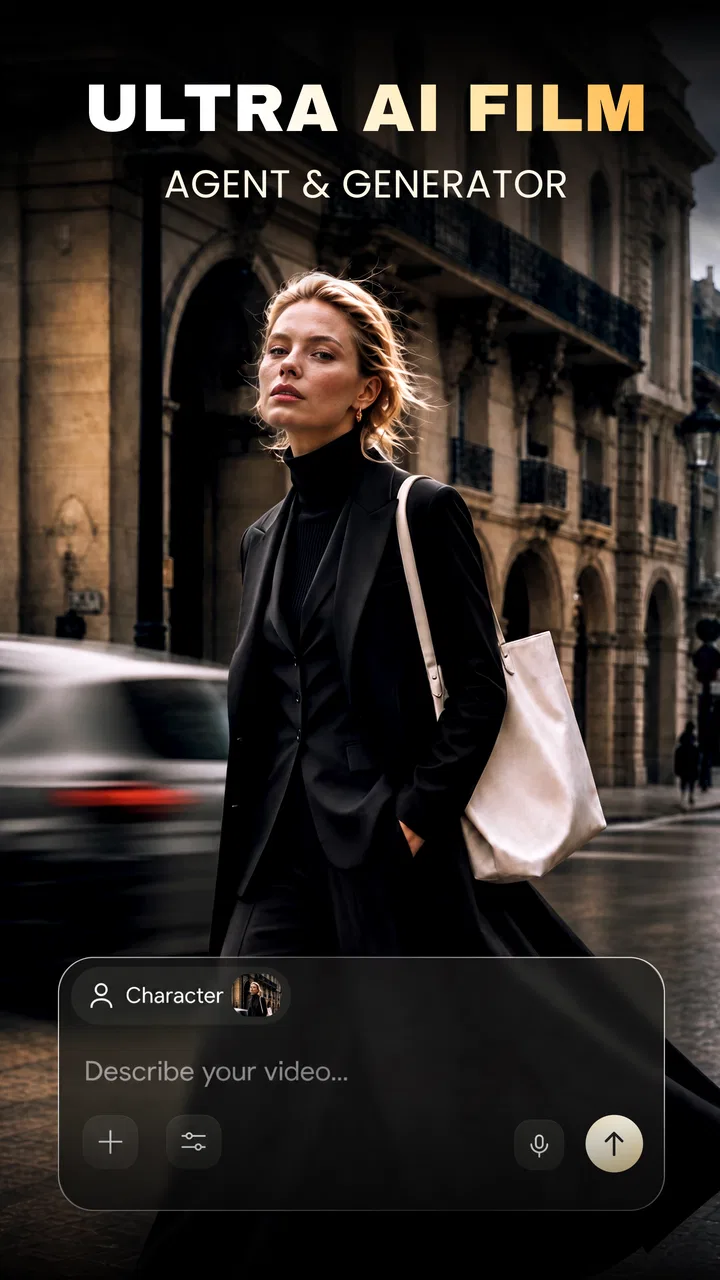
I approached Anijam: AI Video Maker as a quick creative tool rather than a replacement for a full video editor. Its central idea is appealing: instead of learning a timeline, keyframes, layers, and export settings first, I can describe an idea in a chat and work toward an animated video from there. That makes it especially interesting for people who have a story, joke, lesson, or social post in mind but do not want to begin with a blank canvas.
The app sits in the Art & Design category and is developed by SEEKOO HK. It is free to install, with in-app purchases ranging from $9.90 to $100.00 per item. That combination matters because the initial barrier is low, but anyone planning frequent or ambitious work should think about how much of their workflow they want to place behind optional spending.
In my experience, the strongest reason to try it is not that it promises professional animation control. It is that it changes the first step. You can begin with a conversation, refine the concept in plain language, and see whether the result is close enough to your intention to keep developing. The real advantage is reducing creative hesitation, not eliminating every part of video production.
You May Also Like

 Blood Strike: 2.5 Anniversary
Blood Strike’s Loadouts Turn Every Drop Into a Tactical Gamble
A close look at Blood Strike’s custom loadouts: how fast access to signature weapons reshapes its battle royale rhythm, rewards preparation, and narrows the gap between fights.

 Pandora - Music & Podcasts
Pandora’s Music Is Easy to Start, but Harder to Recover
Pandora’s strength is its low-effort path from a seed to a station. Its weak spot is how much confidence it asks you to place in connection, setup, and quiet recovery.

 8 Ball Pool
8 Ball Pool Is Built on Rivalries, Rematches, and Routine
A close look at the rivalries, rematches, shared routines, and unanswered safety questions that turn a quick pool match into a persistent mobile community.

 Samsung Music
Samsung Music’s Quiet Strength Is Playing What You Already Own
Its reach comes less from spectacle than from dependable access to a personal library. That simplicity is both the app’s strongest retention engine and its ceiling.

 AccuWeather: Weather Radar
AccuWeather Review: A Quick, Clear Forecast for Everyday Decisions
For everyday plans, the best forecast is the one you can understand quickly. AccuWeather makes rain timing, radar, and local conditions easy to act on, with a few trade-offs.

 Hill Climb Racing
Why Hill Climb Racing Still Turns Crashes Into One More Run
A tiny car, a bumpy hill and one more upgrade: Hill Climb Racing keeps resurfacing because its simple chaos makes every near-miss feel personal.
More From Our News Desk



How Anijam feels during real creative work
I find the most useful way to judge Anijam is to separate creative convenience from trust: a chat-based workflow can make it easy to share an idea, but that alone does not tell me how an app handles personal material. In this section, I focus on the choices I can make while creating and on the moments when I would pause before entering sensitive details. That gives me a practical basis for deciding how cautiously to use it.
Fast to start, but the idea still needs preparation
The chat-based approach makes the opening feel less intimidating than a conventional animation application. A traditional editor usually asks me to choose a canvas, import material, arrange a timeline, and make several decisions before anything resembles a finished scene. Anijam: AI Video Maker presents a more approachable route: I can first explain what I want to see and then adjust the direction through conversation.
That does not mean every request should be vague. The most useful results are likely to come from prompts that identify the subject, mood, action, setting, and intended audience. “Make a fun animated clip about a cat” leaves too much room for interpretation. A clearer request such as a short, friendly scene for children, with one central action and a simple background, gives the creative process a firmer starting point.
I would also treat the first generated result as a draft rather than a final delivery. Chat-based creation is convenient because it lets me revise without rebuilding a complete timeline, but revisions still depend on explaining what feels wrong. Instead of saying only “make it better,” I would identify the specific problem: the movement is too busy, the tone is too serious, the character should remain centered, or the ending needs to be easier to understand.
This makes the perceived speed somewhat different from the speed of a normal editor. Anijam can help me reach a visual starting point quickly, while a conventional tool may let me make a precise small change faster once a project is already organized. For a first draft, the conversational route feels more inviting. For detailed finishing work, the advantage becomes less obvious.
Where the app fits into an everyday workflow
A realistic use case would be preparing a short visual for a school presentation. I might have a simple explanation that is difficult to communicate with a static slide, such as how recycling works or how a basic process unfolds. Rather than searching for matching footage and manually assembling it, I could describe the sequence, review the result, and use the conversation to simplify the visuals until the message is clear.
The same approach could help a small business owner sketch an idea for a social post before asking a professional to produce a polished version. It could also suit a parent making a playful visual story, a student testing a narrative concept, or a beginner who wants to explore animation without committing to a complex desktop package.
There is an important trade-off here. The app is more useful when the goal is communication or experimentation than when the goal is exact brand control. If a project depends on a particular typeface, precisely matched product proportions, repeatable character poses, or frame-by-frame timing, I would start with a more specialized editor. Anijam can help shape the concept, but a conversation is not the same as a full production specification.
What happens when a project becomes demanding
Simple ideas should be the most comfortable fit: one subject, a modest number of actions, and a clear visual direction. As the request becomes heavier, the creative process can become less predictable. Multiple characters, complicated movement, changing camera angles, detailed environments, and a long sequence all create more opportunities for the result to drift away from the original intention.
For that reason, I would divide a large idea into scenes instead of asking for an entire animated story in one step. First, I would establish the opening situation. Then I would work on the central action, followed by the ending. This scene-by-scene method is one of the most useful habits for getting more control from a chat-driven tool. It also makes it easier to identify which part needs revision instead of discarding the whole concept.
Another practical technique is to keep a short “style brief” in the conversation. I would repeat the essential visual rules when refining a scene: the same audience, the same mood, the same character description, and the same level of detail. This is more disciplined than adding random requests one after another, which can gradually make the project inconsistent.
Heavy use also changes how I judge the app’s speed. A brief concept should feel lighter than an elaborate sequence, but I would not assume that every generation or revision will behave identically. The creative workload itself is a factor. If I need many iterations, I would plan breaks and save useful drafts rather than treating the app as a rapid-fire machine for unlimited variations.
Stability, recovery, and protecting the work
Reliability in an AI creation app is not only about whether it opens. It is also about how well I can recover from an unsatisfying result, a misunderstood instruction, or an interrupted session. The conversational format gives the workflow a natural recovery path: I can explain the issue and try a narrower correction instead of manually rebuilding every visual element.
That recovery is strongest when I make incremental changes. If a result is almost right, I would avoid rewriting the entire prompt. I would preserve the successful parts and change one or two things at a time. This makes it easier to tell whether the revision actually helped and reduces the chance of losing the original direction.
I would also keep important wording outside the app while working on a serious project. A small note containing the character description, scene order, and visual rules can save time if I need to restart a conversation or recreate an idea later. This is not glamorous advice, but it is valuable for any creative workflow that depends on iterative instructions.
The app’s free entry point makes experimentation easy, yet I would be careful before treating it as the only home for important work. A polished business campaign, a paid client project, or a long educational series deserves an additional copy of the concept and any finished material. That habit protects the work regardless of how convenient the app feels on a particular day.
Device demands and practical limits
Anijam supports devices running Android 7.0 or later, which gives it a broad compatibility range for Android users. The age rating is Everyone, so its positioning is accessible to a wide audience, although parents and educators should still review the creative prompts and the final videos themselves before sharing them with children.
Compatibility does not automatically mean identical comfort on every phone. A newer device may feel more responsive when moving through a creative session, while an older phone may make extended work less pleasant, especially if several applications are open or the project requires repeated generation. I would begin with short scenes on an older device rather than immediately attempting a large animation.
Resource demands are also affected by the way I use the app. A quick idea test is a lighter commitment than repeatedly revising a detailed project. If the phone becomes warm, the battery falls quickly, or switching between apps feels sluggish, I would close background applications, work in shorter sessions, and avoid keeping unnecessary media open at the same time. Those are sensible precautions rather than guarantees of a particular performance level.
People who mainly use tablets or phones for casual creative work may find the format comfortable. Users who expect the control and screen space of a desktop animation suite may feel constrained. The smaller interface encourages concise decisions, but it is not ideal for inspecting every detail of a complex composition or managing a large production with many separate elements.
How it compares with familiar alternatives
Compared with a standard mobile video editor, Anijam moves the emphasis away from manual assembly and toward idea development. A conventional editor is usually better when I already have clips, images, music, and a clear timeline in mind. It gives me direct control over trimming, ordering, transitions, and timing. Anijam is more attractive when I know what I want to communicate but do not yet have the visual material or animation plan.
Compared with a drawing or frame-by-frame animation app, it is less suited to artists who want to create every movement themselves. Those tools reward patience and provide a more deliberate relationship between the creator’s hand and the final motion. Anijam instead favors description, iteration, and broad direction. That can be freeing for beginners, but frustrating for someone who wants exact authorship over each frame.
It also differs from template-based video makers. Templates can be faster when the desired format is already known, such as a familiar announcement or promotional layout. The conversational method is more flexible at the idea stage, particularly when the concept does not fit a preset. On the other hand, a template may deliver a more consistent result with less back-and-forth when the project has a routine structure.
My practical recommendation is to use Anijam before a conventional editor when the main obstacle is turning a thought into a visual draft. Use the conventional editor afterward when timing, audio, branding, captions, or exact sequencing become central. The two approaches can complement each other, but I would not confuse the app’s accessible starting point with a complete replacement for every specialist tool.
Who will get the most from it
I think the app is a good match for beginners, storytellers, teachers, social creators, and anyone who feels blocked by a traditional timeline. It is particularly useful for testing whether an idea works visually before spending hours on manual production. The free price also makes it reasonable to explore without making an immediate commitment.
People who should approach it more cautiously include professional animators seeking frame-level control, editors who already have a large library of footage, and teams that need strict consistency across many deliverables. A user who dislikes iterative prompting may also find the process less satisfying than dragging elements directly into place.
The app has an average rating of 4.4 from around 3.8 thousand ratings, with more than 50 thousand installs. Those figures suggest that it has attracted meaningful early interest, but they do not replace personal testing. Creative tools are highly dependent on expectations: someone looking for a fast concept sketch may be delighted, while someone expecting a complete studio workflow may judge it much more strictly.
Cost, versions, and what to consider before committing
The current version is 1.2.2, and the app is free to start. Optional purchases can range from $9.90 to $100.00 per item, so I would explore the basic workflow first and decide whether it genuinely saves me time before paying for expanded use. The important question is not simply whether a purchase is available, but whether the app fits the type of projects I regularly make.
I would also avoid beginning with a large paid project until I understand how well the conversational revisions match my expectations. A small personal experiment can reveal whether the visual style, level of control, and editing rhythm suit me. That test is more useful than judging the app from its concept alone.
My performance verdict
After looking at the app as a working tool rather than just an idea, I see Anijam: AI Video Maker as a promising shortcut into animated storytelling. Its perceived speed is strongest during brainstorming and first drafts. Its recovery advantage comes from being able to refine a result by explaining what needs to change. Its limitations become clearer during complex, repetitive, or precision-heavy production.
I would recommend it to a friend who wants to turn a rough idea into a shareable animated concept without learning a full production system first. I would suggest keeping projects short, describing scenes clearly, revising one issue at a time, and maintaining a separate note for important creative instructions. Those habits make the experience more manageable and help prevent a promising idea from becoming a confusing chain of prompts.
For my own use, the best role is as an idea-to-draft tool. I would reach for it when I need momentum, a visual explanation, or a quick way to explore a story. I would switch to a traditional editor when the project demands exact timing, detailed finishing, or dependable control over every element. That boundary is not a weakness; it is the clearest way to use the app well.
With its Everyone rating, Android 7.0 minimum, and free starting point, it is approachable for casual experimentation. Just remember that in-app purchases may become relevant for deeper use, and that an AI-assisted conversation still benefits from human planning. If you want a friendly first step into animated video, Anijam is worth trying; if you want a complete professional animation workstation, choose a more specialized tool.
FAQs for Anijam: AI Video Maker
01What is Anijam: AI Video Maker, and what can I use it for?
Anijam: AI Video Maker is an AI-powered mobile application designed to help users create short animated videos with less manual editing. It can be useful for making social media clips, animated stories, character videos, promotional content, and simple creative projects. The app is aimed at beginners, so you can experiment with ideas without needing advanced animation or video-editing experience.
02How does Anijam create videos from my ideas or media?
The app generally combines user instructions, selected visual assets, animation effects, and editing tools to produce a finished video. Depending on the available features and version, you may be able to enter a prompt, choose a style or character, add images, and adjust scenes, text, music, or timing. Results can vary, so reviewing and refining the generated video is recommended before exporting it.
03Is Anijam: AI Video Maker free to download and use?
Anijam may be available as a free download, but some features can require in-app purchases, a subscription, credits, or access to a premium plan. AI generation and video-export tools sometimes have usage limits, especially for longer or higher-quality projects. Before creating multiple videos, check the app’s current pricing, trial conditions, watermark policy, and renewal terms in the official store listing.
04Can I use videos made with Anijam for commercial or social media purposes?
You may be able to share your creations on platforms such as TikTok, Instagram, YouTube, or other social networks, but commercial usage depends on Anijam’s current terms and the rights attached to the assets used. Music, images, characters, templates, and AI-generated material may have separate restrictions. Review the app’s license agreement and confirm that any third-party content is cleared before using a video for advertising or monetized work.
05What should I know about privacy and permissions before installing Anijam?
Anijam may request access to features such as your photo library, camera, microphone, storage, or internet connection, particularly if you import media, record narration, or generate content online. Only grant permissions needed for the tools you plan to use. It is also worth checking how uploaded images, prompts, voice recordings, and generated videos are stored or processed, especially if your projects contain personal or sensitive information.
Pros
- Turns simple text prompts into short animated video concepts.
- Useful for creating social media clips without animation skills.
- AI-assisted visuals can speed up early creative experimentation.
- Supports quick idea testing before committing to a full production.
- Suitable for casual creators
- marketers
- and short-form content makers.
Cons
- AI results may differ noticeably from the prompt you provide.
- Character details and visual styles can be inconsistent between scenes.
- More advanced editing controls may be limited compared with pro software.
- Export options or video quality may depend on the selected subscription.
- Creating several versions can consume credits or take considerable processing time.

Anijam: AI Video Maker
Gallery